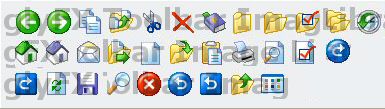
Zeus contains hundreds of built-in images. For each image there is a normal, disabled, and mouseover (hot) image. To override a built-in image, place an image of 16x16 pixels with the same name as the built-in image into the /icons subfolder of the directory containing the ZML application file.
Images can be BMP, GIF, JPG, or PNG format. Disabled images have _D appended to the name, and mouseover (hot) images have _H appended to the name. For example, to override the COPY image with GIF images, place the COPY.GIF, COPY_D.GIF and COPY_H.GIF files into the /icons subdirectory.
If the disabled image is not found, Zeus will convert the main image to monochrome to simulate a disabled image. If the mouseover image is not found, Zeus will use the normal image instead.
Many icons images used in Zeus have been purchased from GlyFX (www.glyfx.com) and are licensed. You are not allowed to use these images in other applications without obtaining your own license from GlyFX. Only applications written using the Zeus engine are allowed to use these icons. The images shown in this help file have been watermarked by GlyFX to prevent distribution. The images available within Zeus are cleaner and do not have the watermarks.
LeftArrow, RightArrow, Copy, CopyFolder, Cut, Cancel, Bookmark, Folder,
FolderOpen, FolderOptions, Folders, History,
Home, Home_Purple, Mail, FromFolder, New, Open, Paste, Print, Preview,
Properties, Redo,
RedoSq, Refresh, Save, Search, Stop, Undo, UndoSq, UpFolder, Views
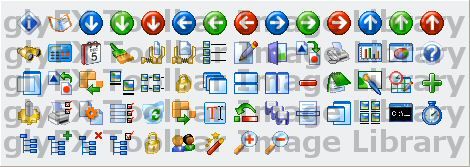
About, Address, ArrowDown_Blue, ArrowDown, ArrowDown_Red, ArrowLeft_Blue,
ArrowLeft, ArrowLeft_Red, ArrowRight_Blue, ArrowRight, ArrowRight_Red,
ArrowUp_Blue, ArrowUp, ArrowUp_Red,
Binoc, Calc, Calendar, Cleanup, Compress, Decompress, Details, Edit, Exit,
Export, Fax, GraphBar, GraphPie, Help,
Hide, Import, Insert, LargeIcons, List, Lock, Cascade, TileHz, TileVert,
Minus_Red, Notepad, Paint, Planner, Plus_Green,
Pref, PrintSetup, Process, Prop, Recycle, Remove, Rename, Reset, SaveAll,
Select, Show, SmallIcons, ComLine, Timer,
Tree, TreeAdd, TreeDel, TreeEdit, Unlock, Users, Wizard, ZoomIn, ZoomOut
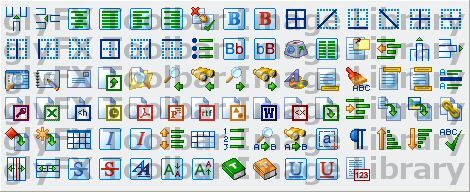
AddCol, AddRow, AlignCenter, AlignJustify, AlignLeft, AlignRight,
AutoCorrect, Bold, Bold_Red, BorderAll, BorderADiag, BorderBottom, BorderDDiag,
BorderInner, BorderInnerH,
BorderInnerV, BorderLeft, BorderNone, BorderRight, BorderTop, Bullets,
Lowercase, Uppercase, KeyMap, Columns, Comment, DeIndent, DelCol, DelRow,
DocMap, Drawing, Envelope, Export2, FindFile, FindLast, BinocLast, FindNext,
BinocNext, TextCol, Footer, Format, Header, HeadFoot, HorzLine,
ImpAccess, ImpExcel, ImpHtml, ImpOutlook, ImpPDF, ImpPoint, ImpRTF, ImpVisio,
ImpWord, ImpXml, Export2, Indent, InsDoc, InsGraphic, InsLink,
InsObj, InsSym, Table, Italic, Italic_Red, LineSpace, MergeCells, NumList,
Replace, ReplaceBinoc, SelectText, ShowSym, SortUp, SortDown, Spell,
SplitCol, SplitRow, Strike, Strike_Red, Style, Subscript, Superscript,
Thesaurus, Thesaurus_Orange, Underline, Underline_Red, WordCount
These icons were designed by Zugg Software and can be freely copied.
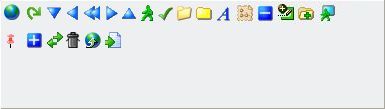
World, Apply, ArrowD, ArrowL, ArrowLL, ArrowR, ArrowU, Char, Check, Folder2,
Folder3, Font, Map, Minus, Add, NewFolder, Offline
Pin, Plus, Swap, Trash, Upload, Load